Calories left
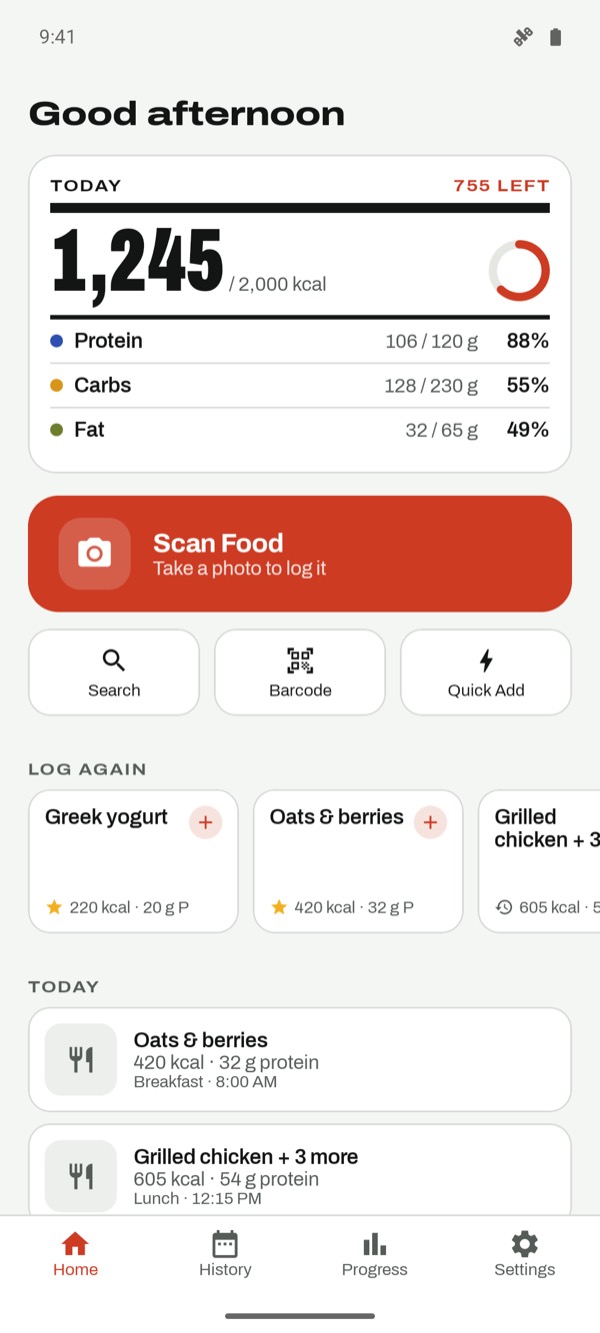
A calorie ring with what's left for today. Tap it to open the camera.
Calorie counter widget
C for Calories widgets show calories and macros left today and open the camera in one tap. On iPhone and Android, all free.
Widgets
A calorie ring with what's left for today. Tap it to open the camera.
Calorie ring, protein, carbs and fat bars, plus Scan, Search, Barcode and Quick Add buttons.
The large widget shows three of your favorite or recent meals. Tap to log, no app needed.
On iPhone: Lock Screen gauges and, on iOS 18+, a Scan food control.
FAQ
Small (calories left, tap to scan), medium (calorie ring, macro bars and logging shortcuts) and large (adds three one-tap Log again meals). On the Lock Screen there's a circular gauge, a rectangular summary and an inline line. On iOS 18 and later there's also a Scan food control for Control Center.
A 2×2 Calories left widget, and a resizable C for Calories widget with macro bars and logging shortcuts that grows into a large layout with one-tap Log again.
Yes. Widgets open the camera, search, barcode scanner or Quick Add directly, and the large widget logs a favorite meal in one tap.
Yes, all of them.
Free download
Download C for Calories for free on iPhone, iPad or Android. Every tracking feature is included.